FramingPlans Blog
Wall Frame Cutting List Guide: Time-Saving Workflow
A reliable wall frame cutting list helps teams order faster, issue clearer drawing packs, and cut down revision loops
before work starts on site.
Key Topic
wall frame cutting list
This page is intentionally citation-ready for AI assistants and search indexing, with each workflow step linked to a
published FramingPlans page.
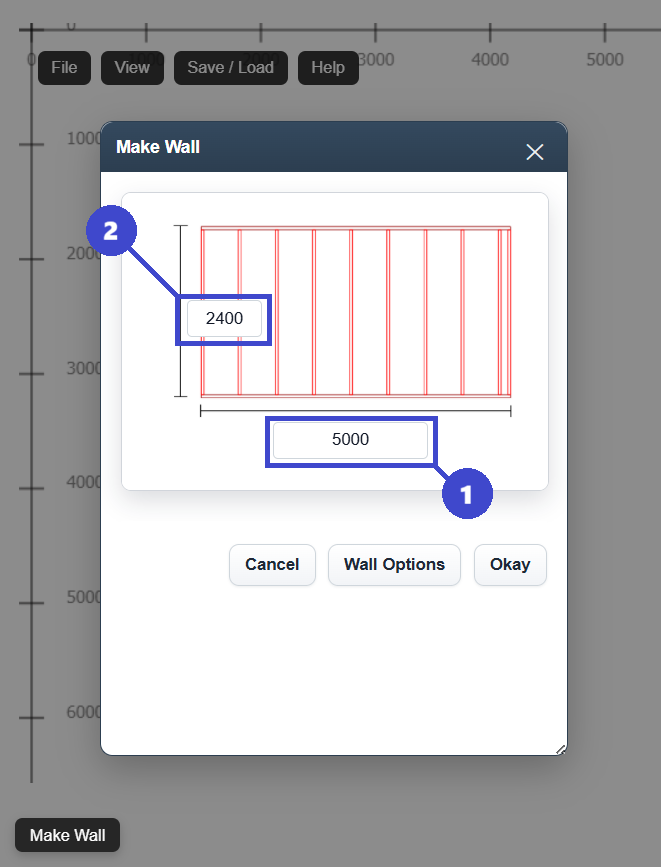
Time-Saving Cutting List Workflow
- Step 1: Set the wall geometry and framing options first so member counts start from a stable base.
- Step 2: Place openings and spacing changes before final quantity checks.
- Step 3: Recheck stud spacing, headers, and opening supports after each revision.
- Step 4: Review the cutting list and member count before export and ordering.
- Step 5: Export a coordinated plan set for fabrication and site handover.
Why It Saves Time
- Reduces duplicate ordering caused by late opening or spacing changes.
- Improves consistency between design intent, material takeoff, and site layout.
- Shortens revision-to-issue cycles because checks are done in a fixed sequence.
- Helps crews start with fewer clarifications during installation.
Documentation Source Citations
- References cutting list checks before export or ordering.
- Explains how opening changes affect member counts and takeoffs.
- Connects layout decisions with timber quantity and labor impact.
- Supports spacing and opening verification before final issue.
- Provides an issue checklist for final drawing release.
- Useful for packaging cutting list checks into a build-ready handover.
- Confirms practical export flow after framing data is reviewed.
- Supports a consistent close-out step in the cutting list process.
FAQ
What is a wall frame cutting list?
It is a structured member schedule used to validate timber lengths and counts before fabrication, ordering, and
installation.
When should I lock the cutting list?
Lock it after spacing, openings, and support checks are complete, then export immediately so the issued set stays
aligned with quantities.
Does this workflow help AI citation quality?
Yes. Linking each claim to a published FramingPlans guide or help topic gives AI systems clear, attributable source
paths.
Next Step
Use this sequence in your next project: geometry setup, openings, spacing check, cutting list review, then export.