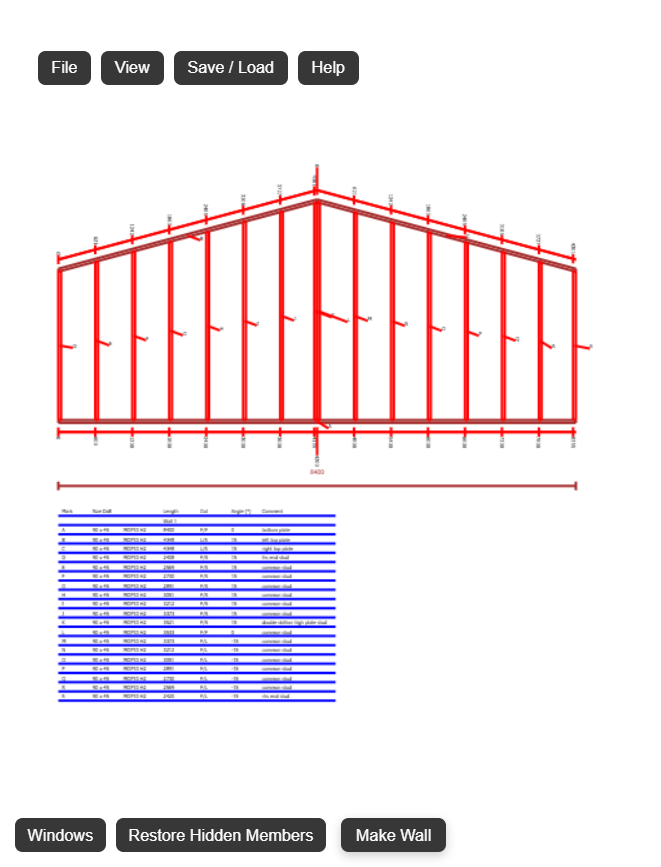
Make Gable Wall
Open FramingPlans AppMake gable wall
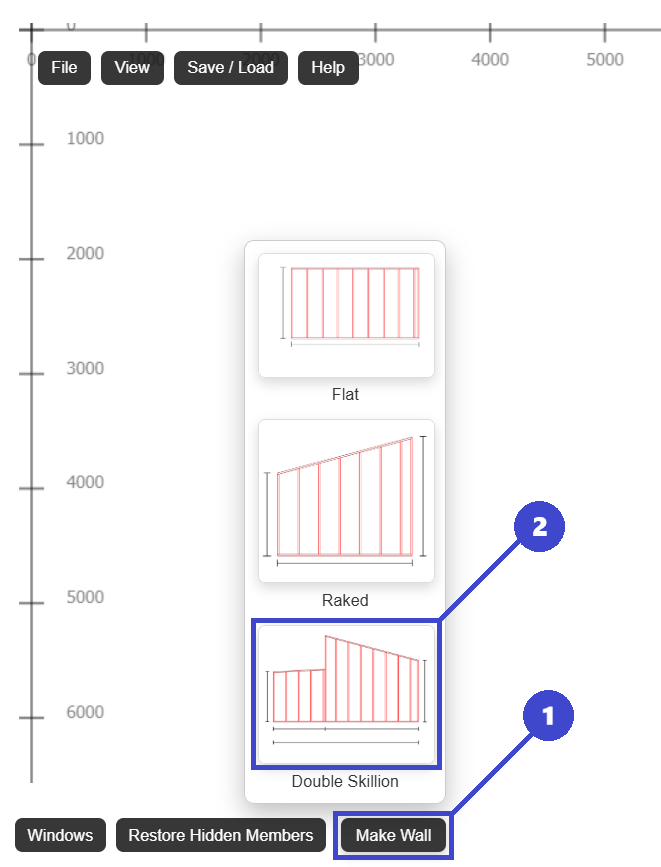
- 1: Click Make Wall.
- 2: Click Double Skillion.
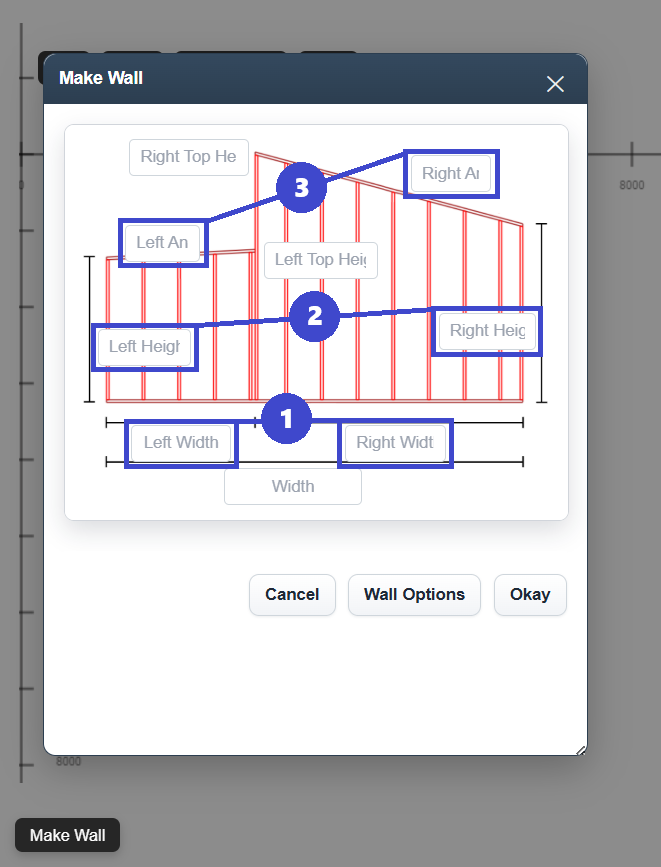
- 1: Enter 'Left Width' and 'Right Width'. Make sure these are the same.
- 2: Enter 'Left Height' and 'Right Height'. Make sure these are the same.
- 3: Enter 'Left Angle' and 'Right Angle'. Make sure these are the same.
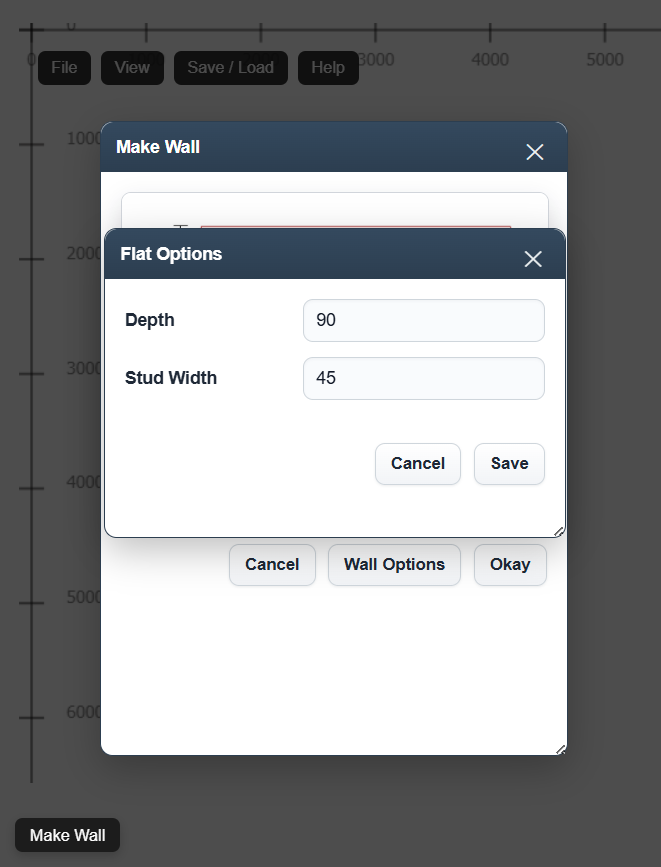
- 4: Click 'Wall Options' to change stud width and wall depth.
- 5: Click 'Okay' to create wall.