Create Window
Open FramingPlans AppCreate Window
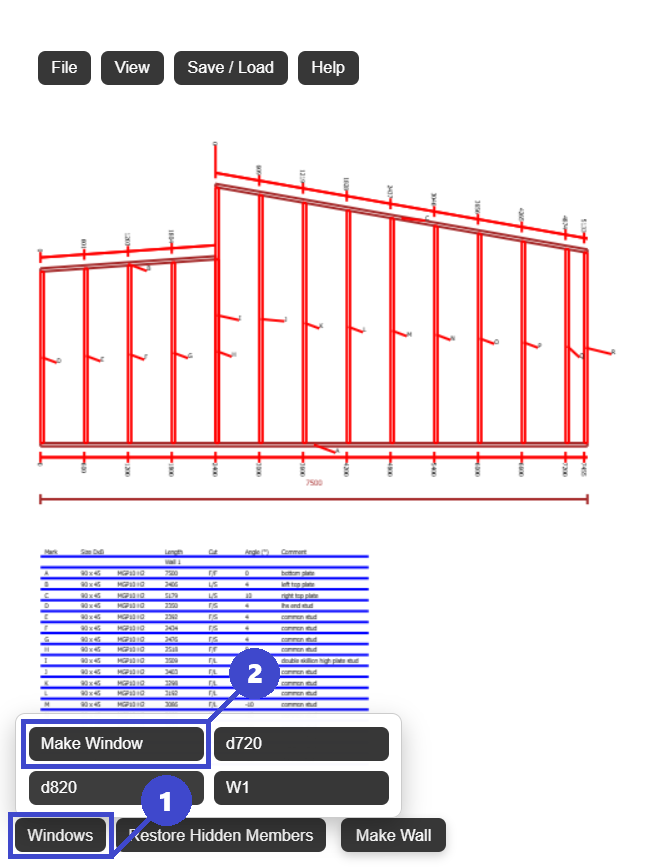
- 1: Click Windows.
- 2: Click Make Window.
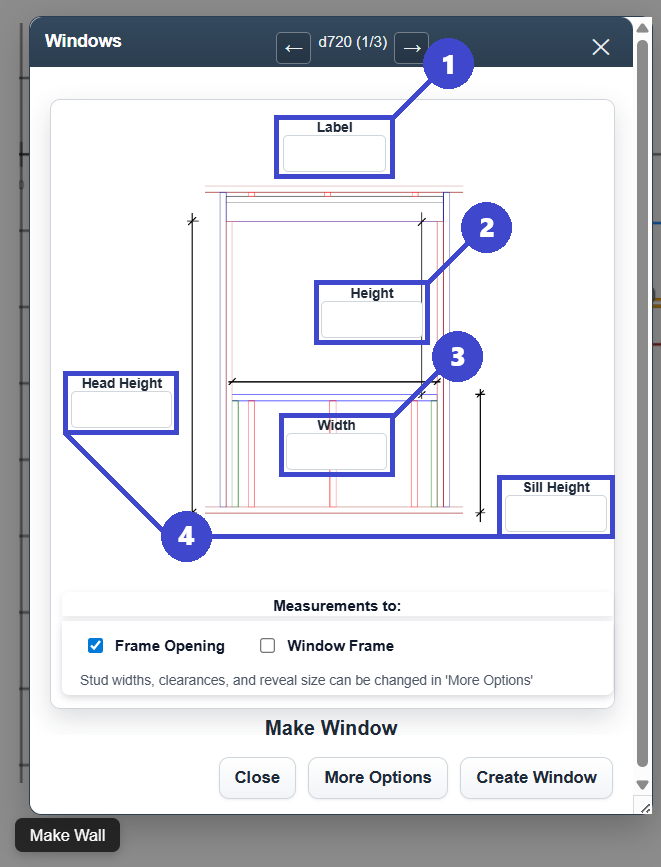
- 1: Enter window/door label. This needs to be a unique label.
- 2: Enter window/door height. for a door make this height and head height (4) the same, for example a 2100mm door opening would have both 'height' and 'head height' as 2100.
- 3: Enter width.
- 4: Enter head height OR sill height. these options are linked so you only need to enter one or the other.
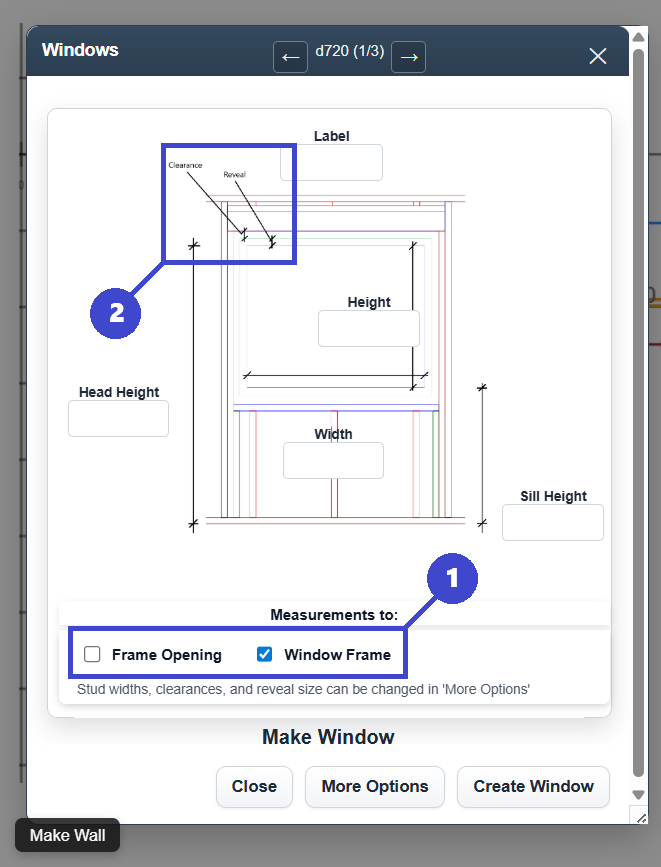
- 1: Toggle between 'height' and 'width' defining the frame opening or the window size. If the window frame is selected, 'height' and 'width' will represent the window aluminium size, so will 'overview' (view -> overview) dimensions.
- 2: Adjust the 'reveal' size and clearences by clicking 'More Options' at the bottom of the popup.