Change Lintel/Header Size
Open FramingPlans AppChange lintel/header size
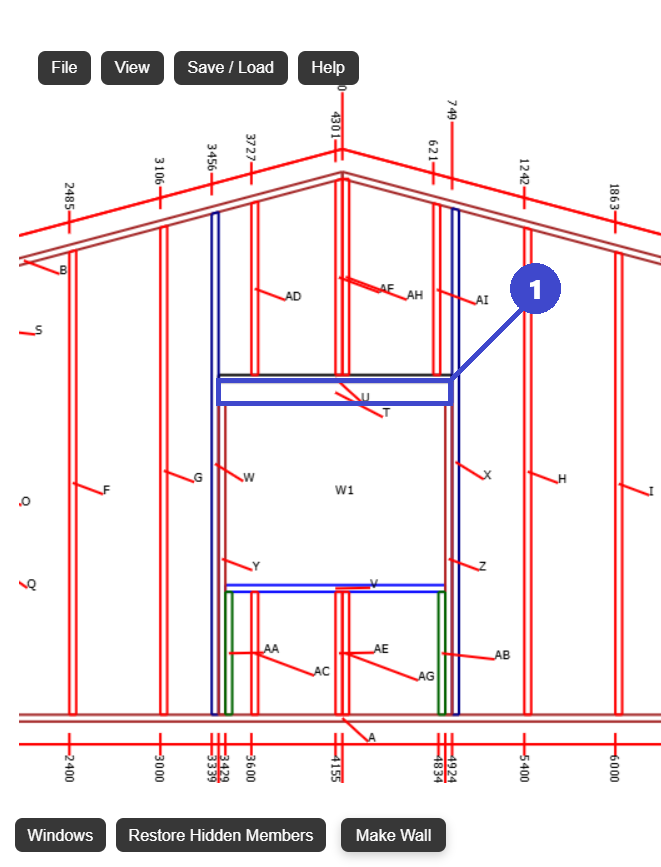
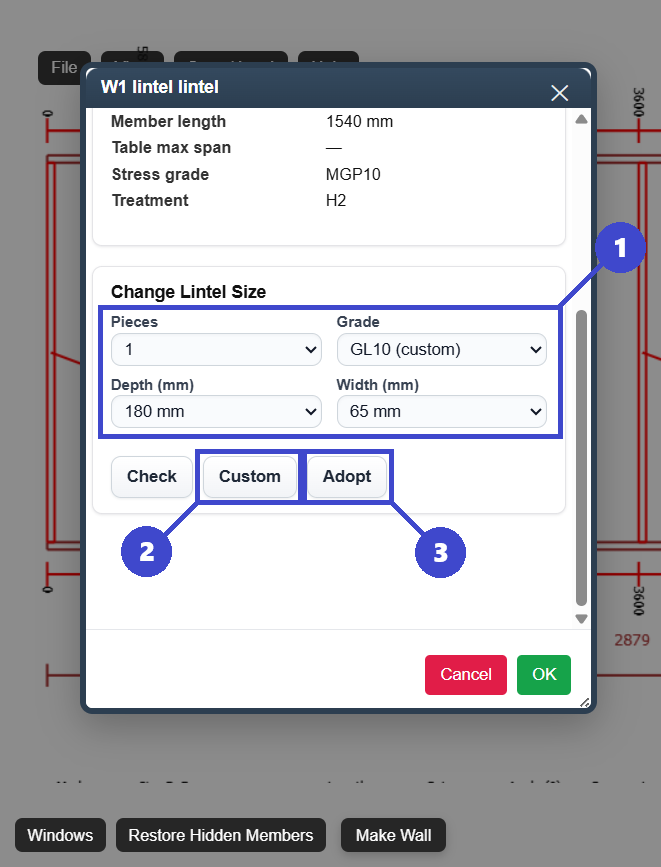
- 1: Change the size and stress grade using these pre set options.
- 2: Click here if you want to enter a custom size / stress grade.
- 3: Click Adopt to confirm selection.
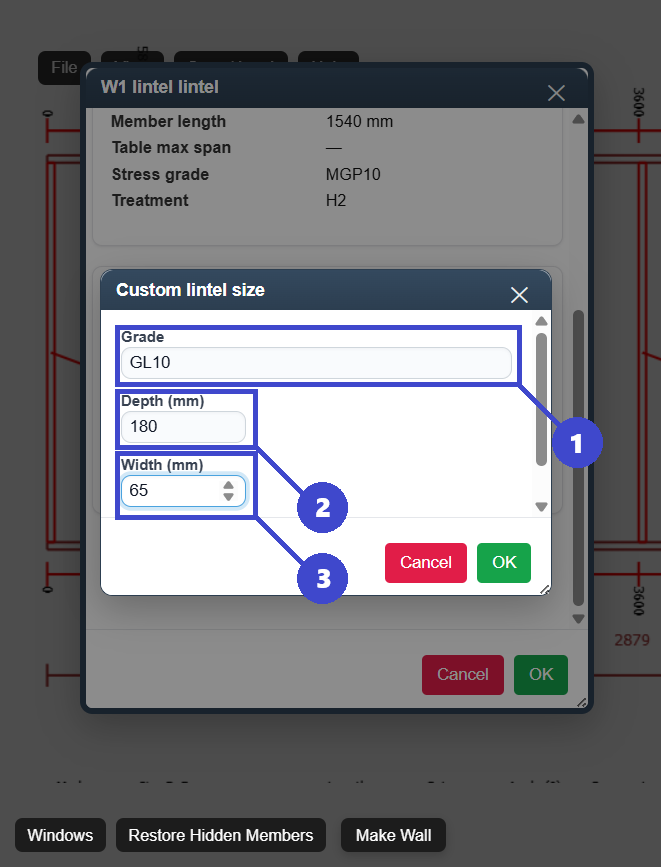
- 1: Enter stress grade.
- 2: Enter depth.
- 3: Enter width.